
Diorama
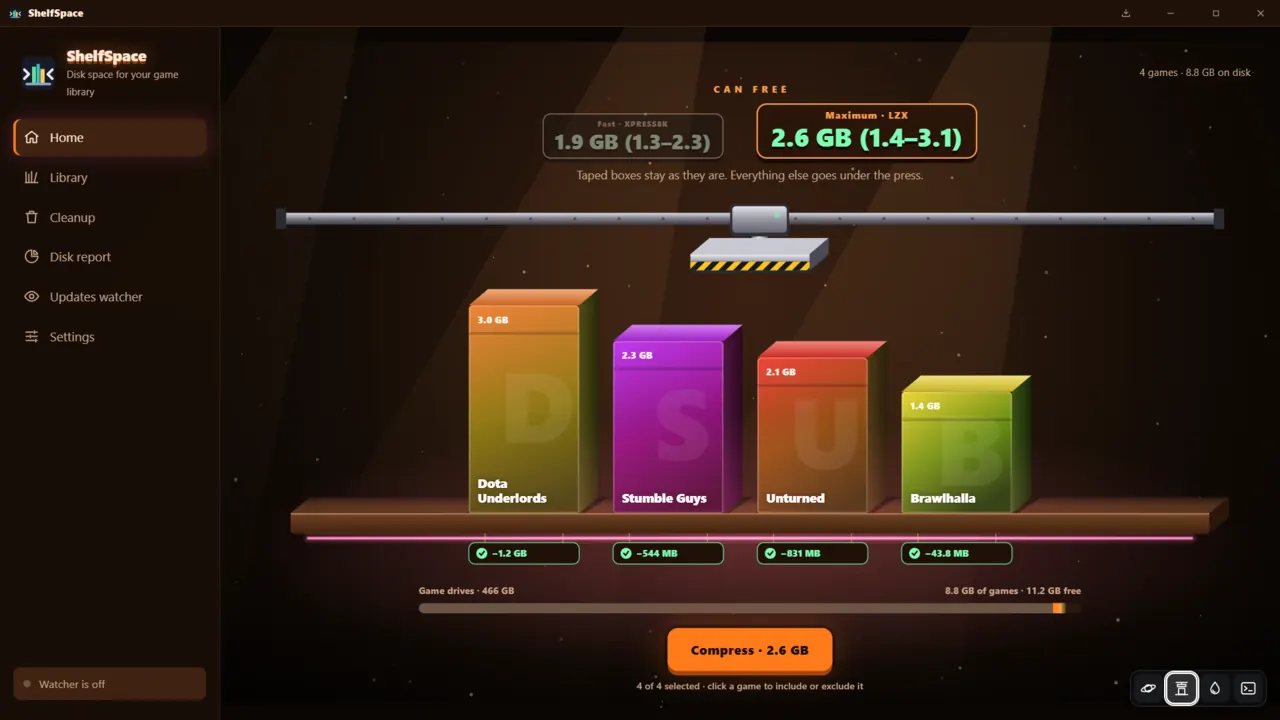
Your games stand as boxes on a shelf, and a hydraulic press squashes each one as it is compressed.
ShelfSpace · for Windows 10 and 11
ShelfSpace compresses installed games in place with the compression built into Windows, the engine behind compact.exe. Games take less space and keep working exactly as before: no repacking, no mods, nothing to extract before playing.
Pay $4.99 or more. Windows 10/11 · 4.9 MB download · 11 languages.
Plays from youtube-nocookie.com. Nothing loads from YouTube until you click.
How it works
Nothing is touched until you have seen what it is worth.
ShelfSpace samples every included game with the real algorithm and shows how much you can free, as a low–high range per game. Click a game to leave it out.
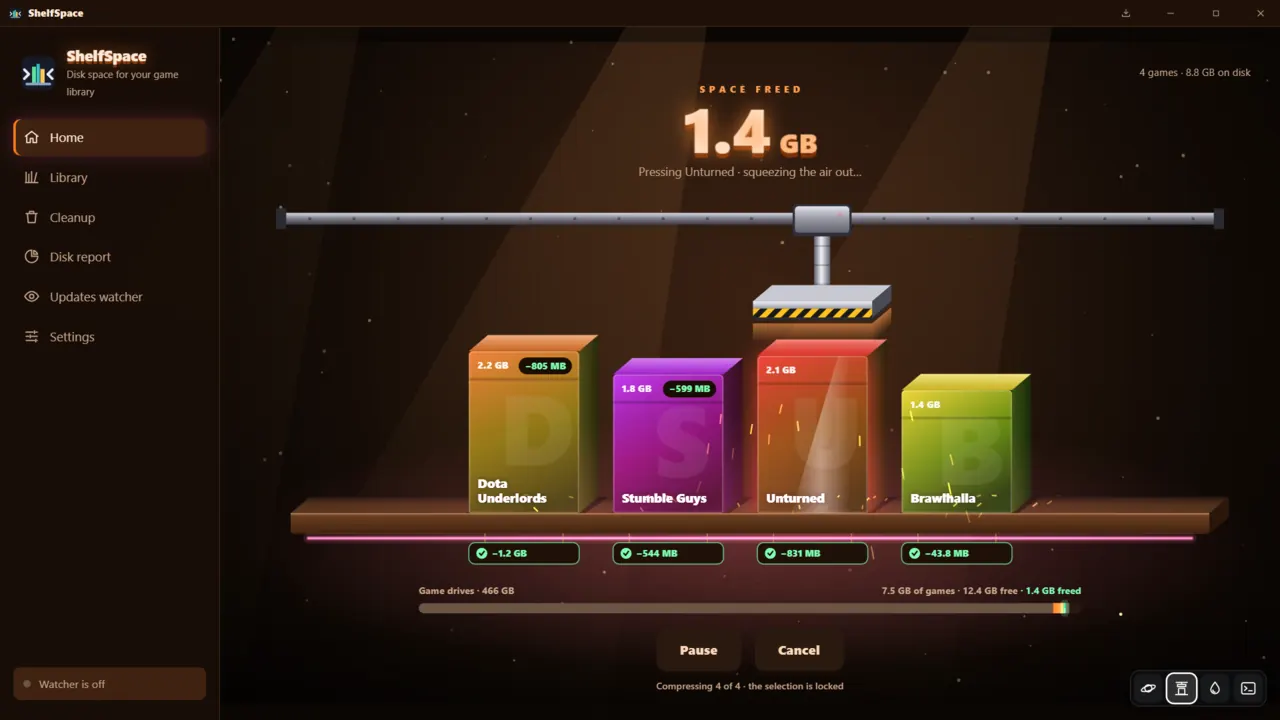
Pick XPRESS4K, 8K, 16K or LZX and press Compress. Parallel workers keep SSDs busy, a per-drive limit keeps HDDs sane, and you can pause, resume or cancel at any time.
Games read their files as usual; Windows decompresses them on the fly. Changed your mind? Decompress any game back to full size.
Real results
Measured with LZX on our own PC. Your games will differ; the estimate tells you before you start.
| Game | Size before | Freed with LZX | Share |
|---|---|---|---|
| Dota Underlords | ≈3.0 GB | 805 MB | |
| Unturned | ≈2.1 GB | 752 MB | |
| Stumble Guys | ≈2.3 GB | 599 MB | |
| Brawlhalla | ≈1.4 GB | 22 MB |
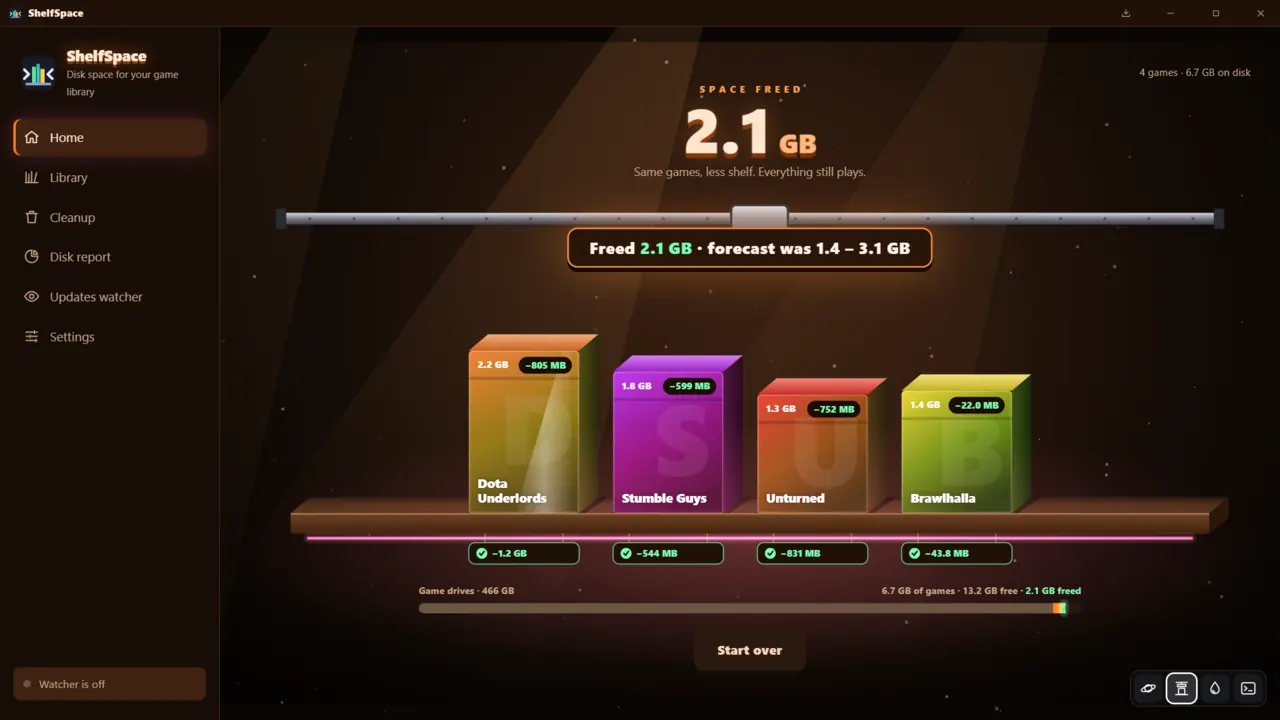
Together: 2.1 GB freed, against an estimate of 1.4–3.1 GB. Brawlhalla ships data that is already compressed, so there was little left to squeeze. Sizes are rounded as the app shows them, so shares are approximate. After every compress, decompress and cancel we ran Steam’s “Verify integrity of game files”; Steam never had to redownload a file.
Four animated themes
Your games stand as boxes on a shelf, and a hydraulic press squashes each one as it is compressed.
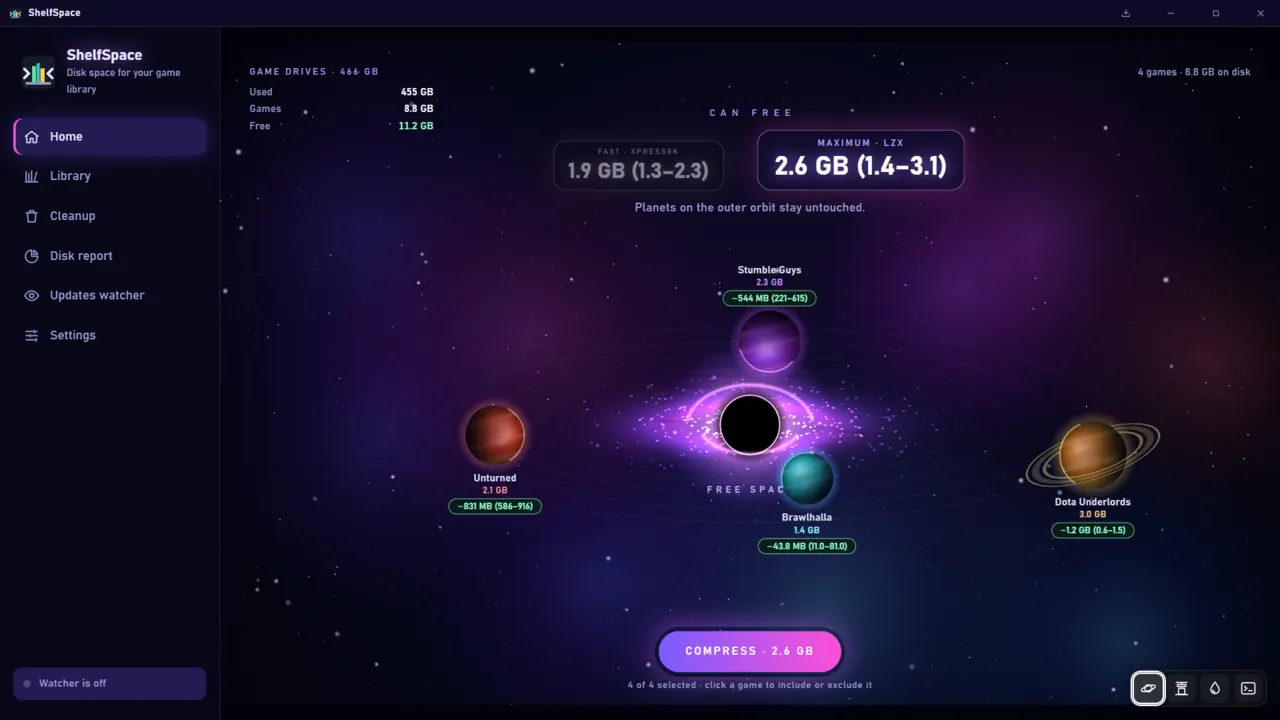
Games orbit as planets and get pulled into a black hole; the space they give up is what you win back.
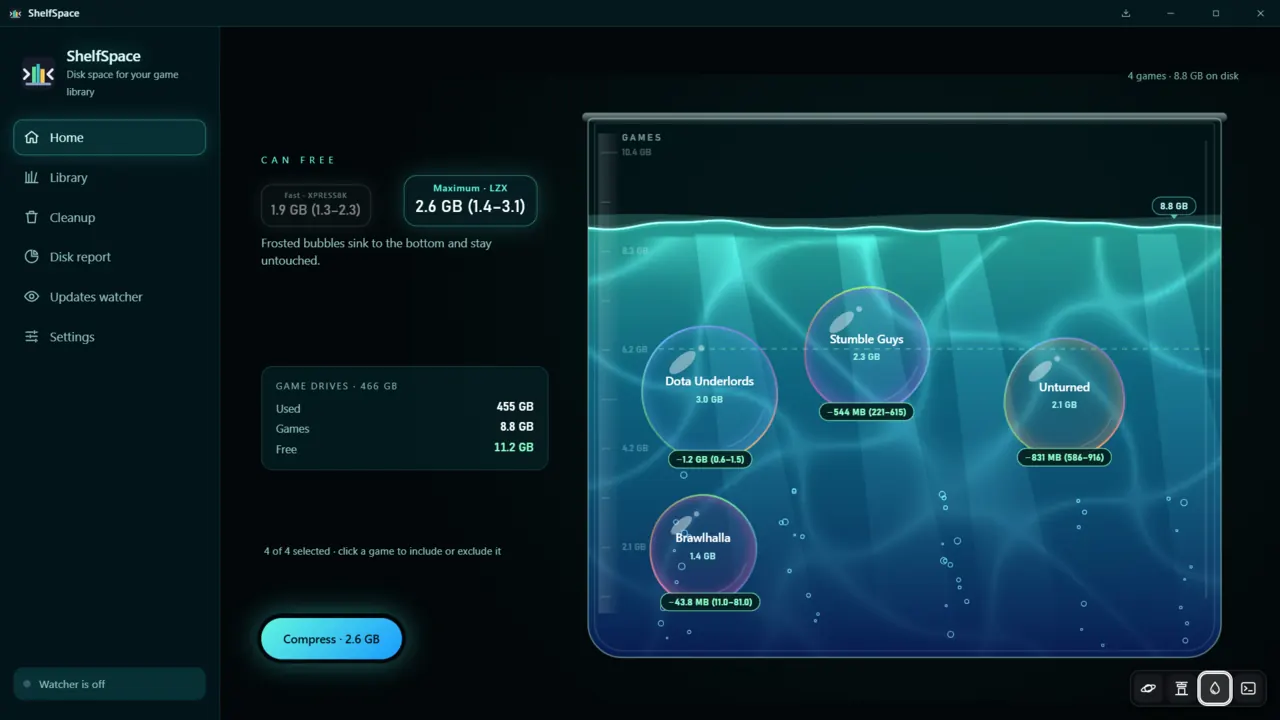
Games float as bubbles in a tank of water. Excluded ones turn frosted, sink to the bottom and stay untouched.
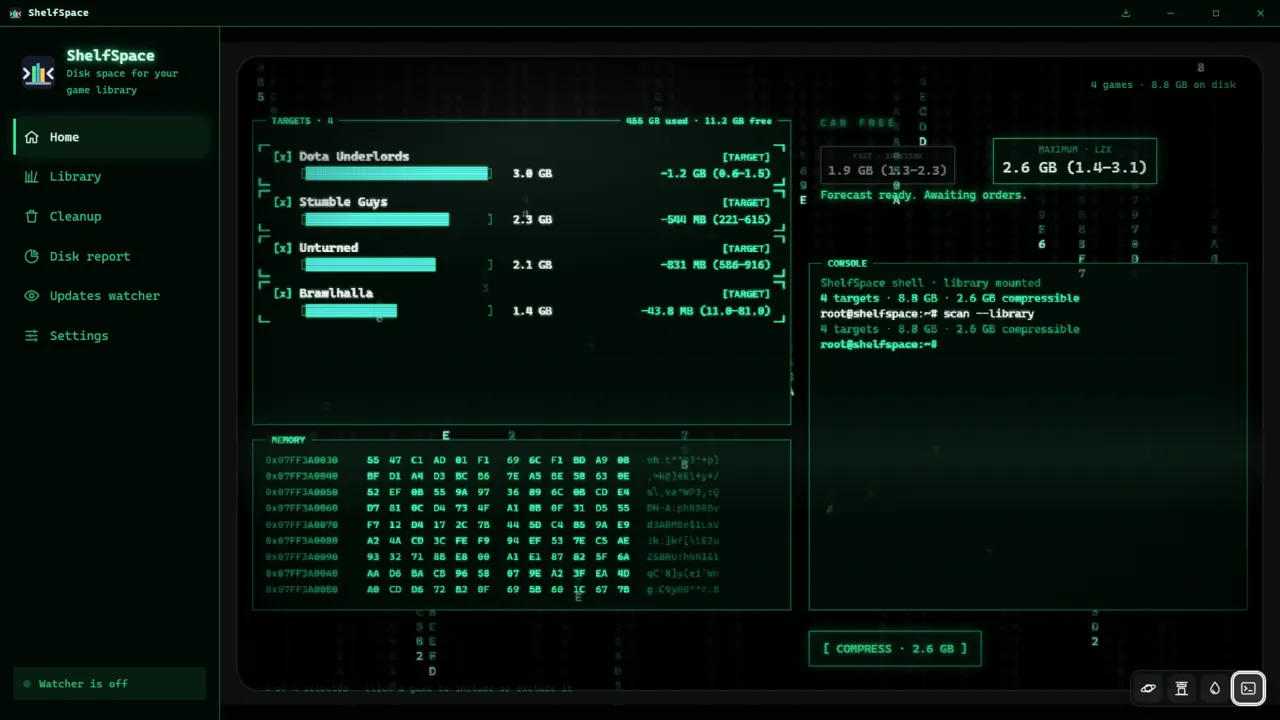
A green hacker console with target lists, hex dumps and a shell prompt, for when you want it to look serious.
Beyond compression
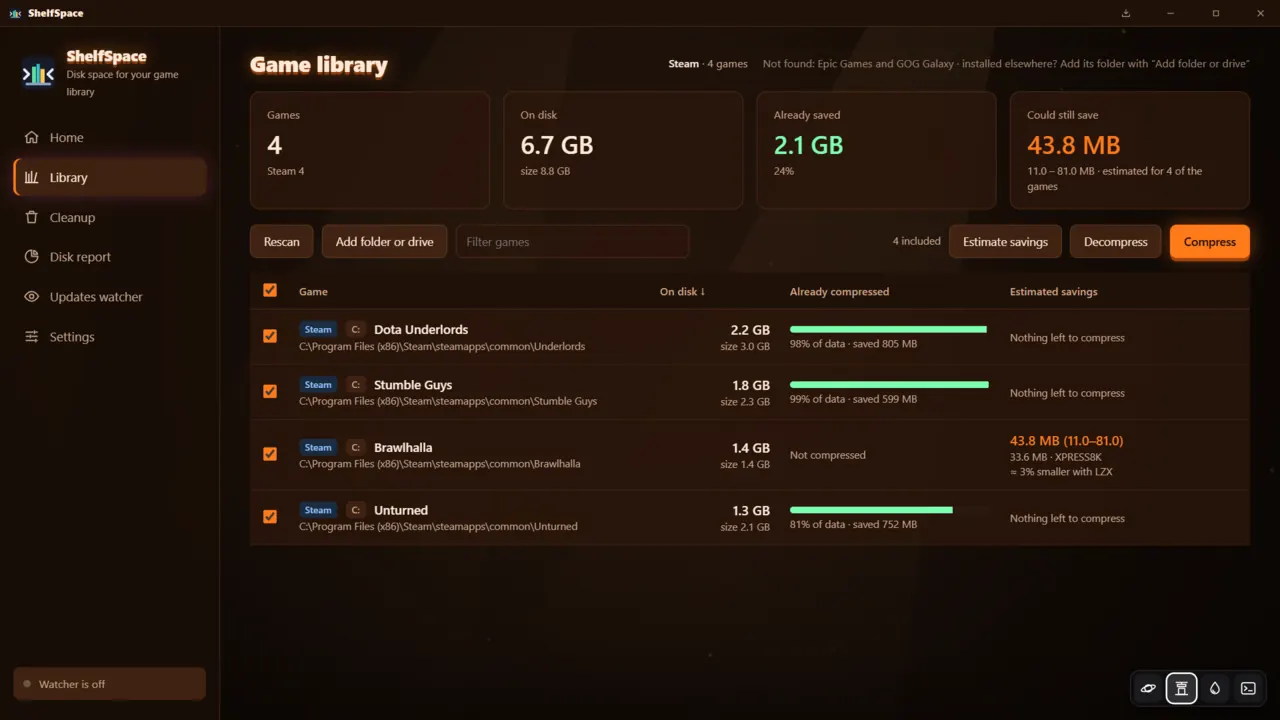
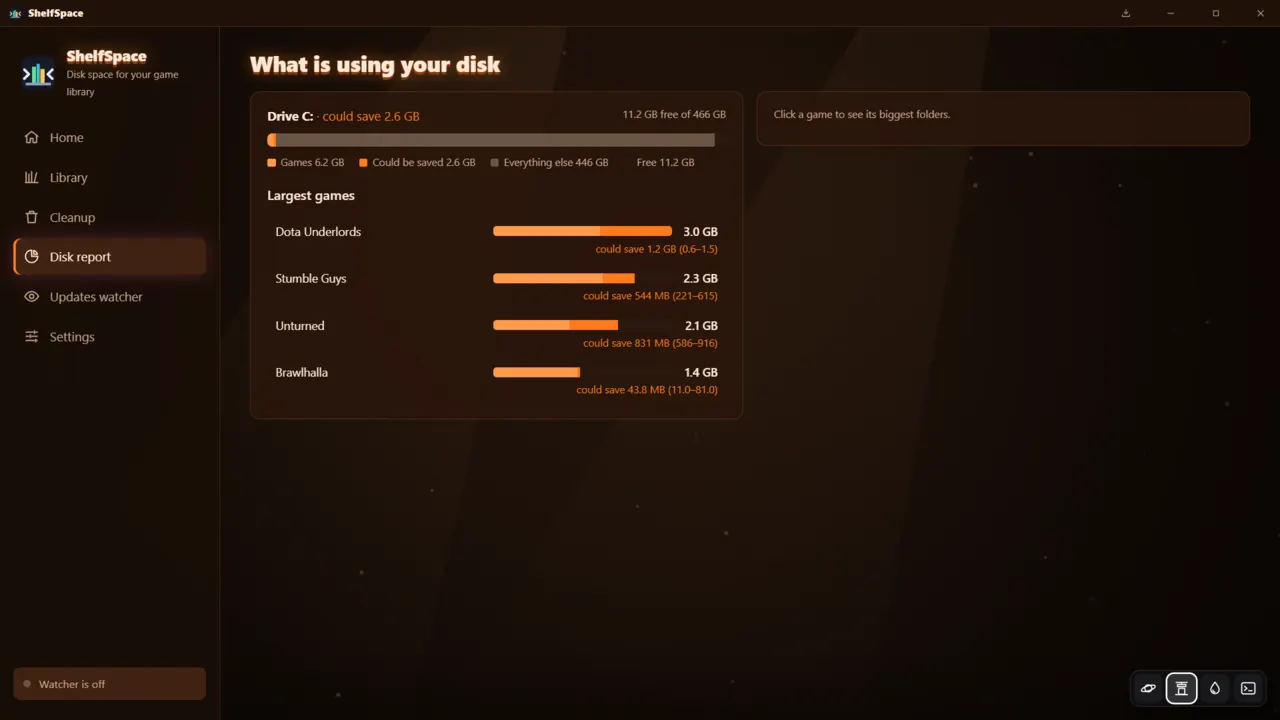
compact.exe offers.Safety
Compression happens inside the file system. Game files are not rewritten into a new format, moved or patched, and Windows hands the game exactly the bytes it expects.
FAQ
ShelfSpace uses a feature of the Windows file system, not a repack: every file keeps its name, place and contents, and Windows decompresses it transparently whenever the game reads it. We ran Steam’s “Verify integrity of game files” after every compress, decompress and cancel in our tests, and Steam never had to redownload anything. We have not tested games with anti-cheat systems, so try those one at a time. Any game can be decompressed back to full size at any time.
Reading a compressed file costs some CPU time, because Windows has to decompress the data as it reads it. In our tests load times showed no noticeable difference, and on slow drives there is less data to read, but that is our experience on our hardware, not a guarantee. If a game feels slower, decompress it; it takes one click.
The game keeps working. Files that an update rewrites are stored uncompressed again, so savings shrink over time. The optional updates watcher sits in the tray and re-compresses changed files after the game has been quiet for a while.
Steam libraries are found automatically. Any other game folder or drive can be added by hand with “Add folder or drive”, and is then compressed the same way.
No. ShelfSpace runs as a normal user, needs no account, installs no drivers and sends no telemetry.
One purchase, no subscription. Pay $4.99 or more on itch.io.
Buy ShelfSpace on itch.ioRather do it by hand? Our guide shows how to compress Steam games with compact.exe.